

Get Diggi for WooCommerce
Get started and accept payments with Diggi and WooCommerce in 5 minutes.
WooCommerce 4.5 or higher



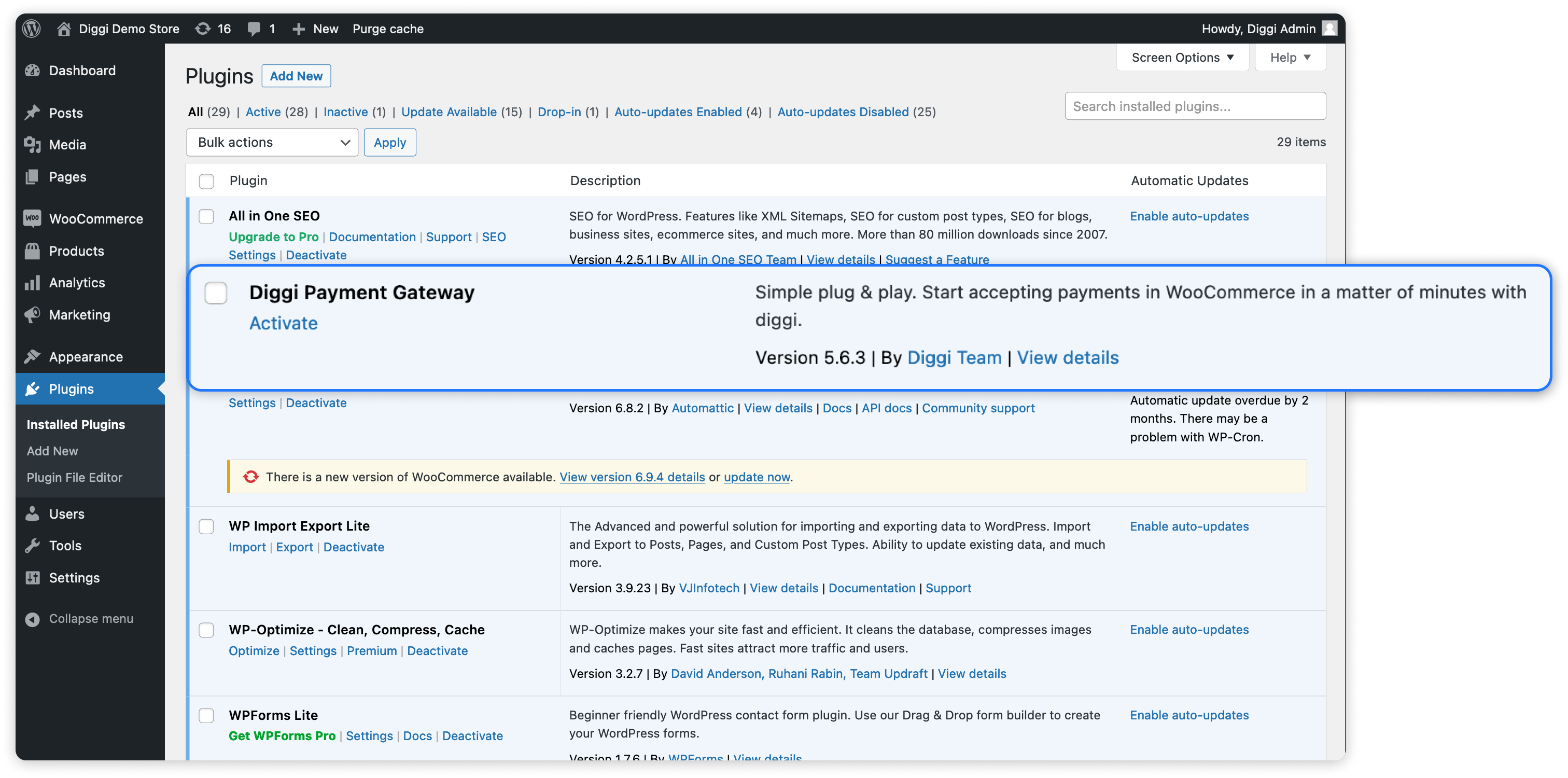
Download and install the Plugin
- Navigate to Plugins → Add New → Search for "Diggi Payment Gateway"
or select Upload Plugin to upload the Plugin .zip File - Activate Plugin
Enable Diggi Payment Gateway in WooCommerce
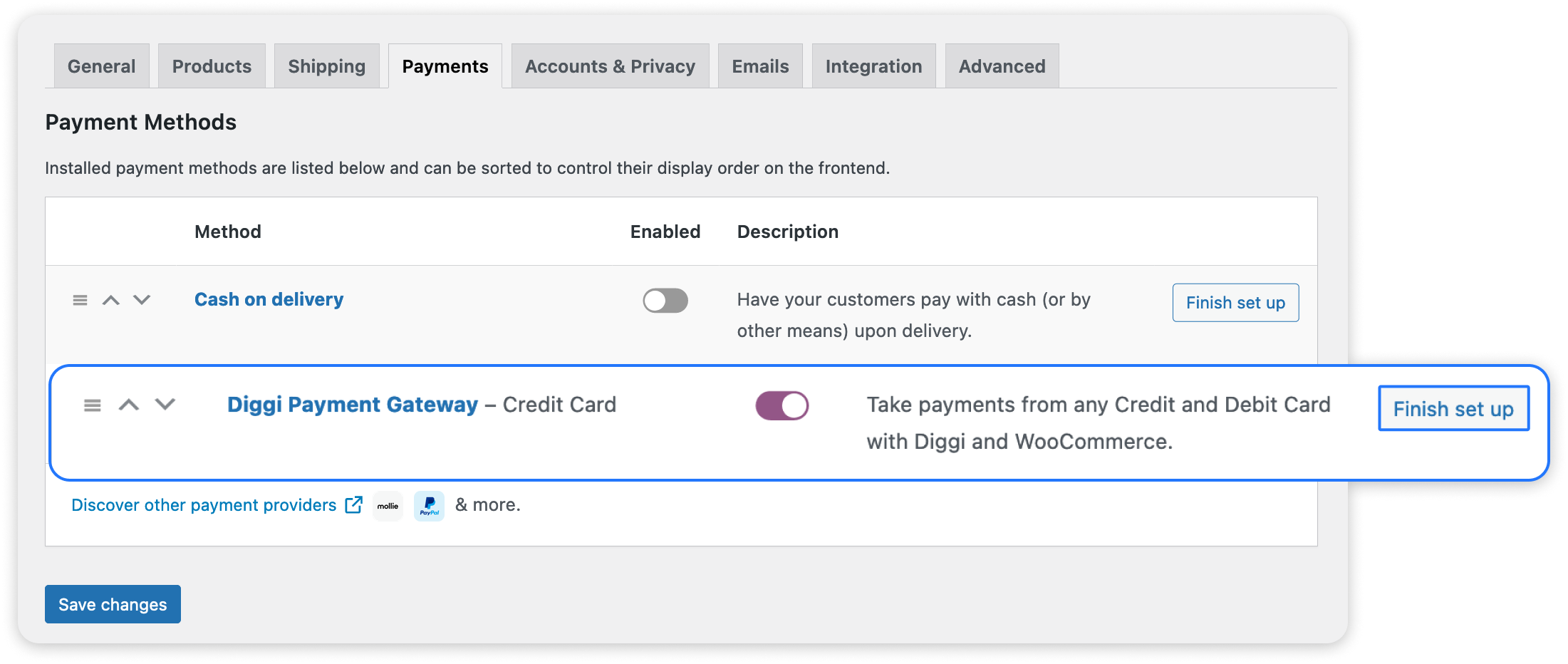
- Navigate to WooCommerce → Settings → Payments
- Enable Diggi Payment Gateway
Setup the Payment Plugin
- Click on "Finish set up"
- Add your merchant ID and Public Key
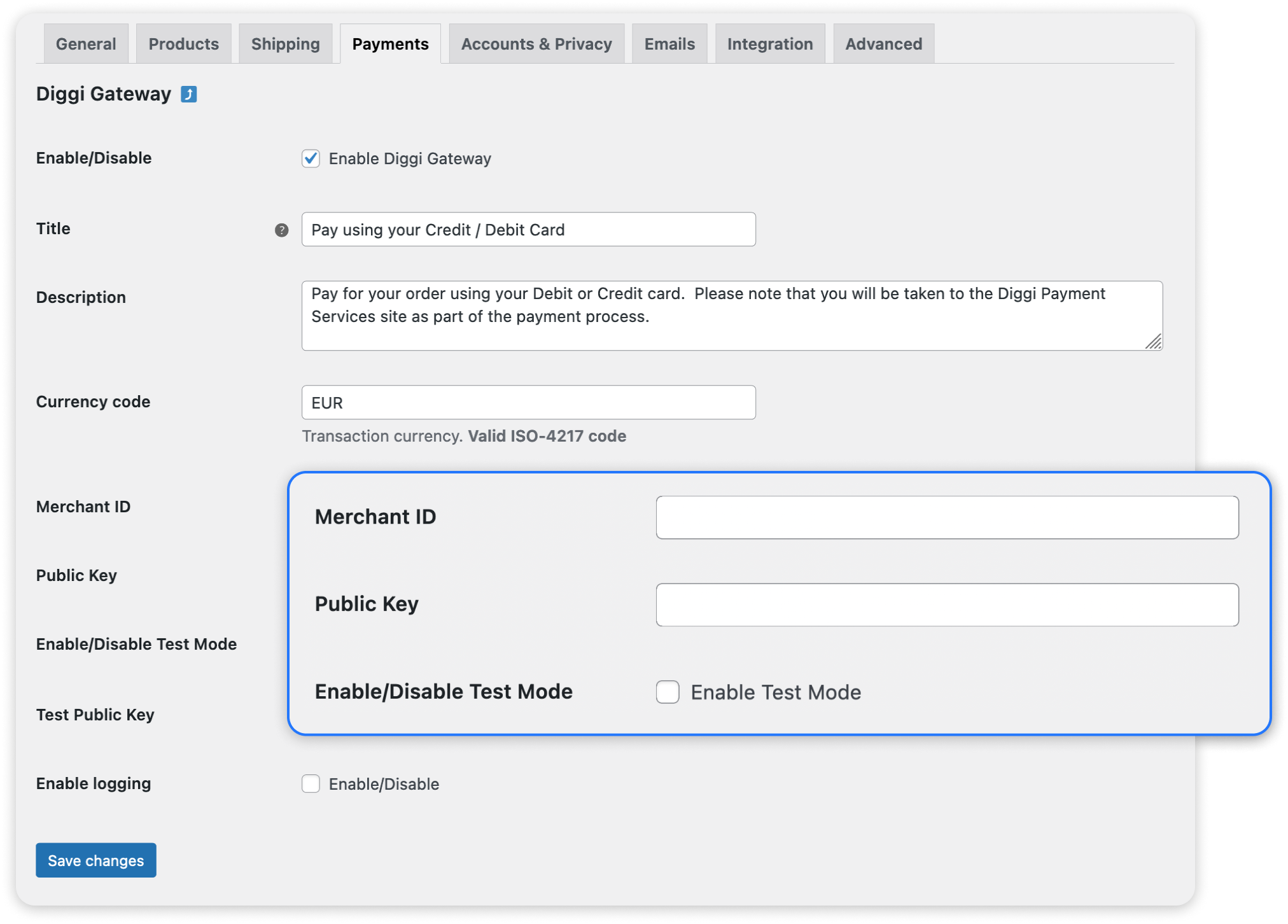
optional Enable Test Mode and enter your Test Public Key to do a test transaction.
Ready to use Diggi?
Join thousand users and teams in the community
